
What makes this especially sobering is that ransomware appears in 88% of SMB breaches — compared to just 39% for larger organizations. Small businesses aren't incidental targets; they're preferred ones.
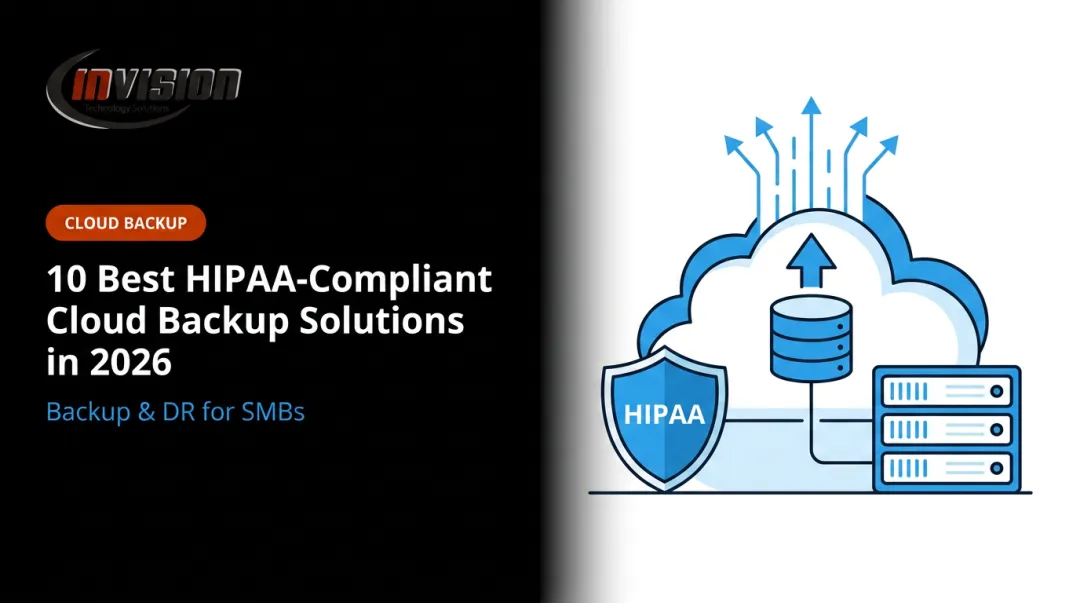
In 2026, a reliable backup solution isn't optional infrastructure. For businesses in healthcare, legal, and finance — industries handling sensitive client data under HIPAA, GDPR, or SOC 2 — it's a compliance requirement and a financial safeguard rolled into one.
Key Takeaways
- Ransomware hits SMBs disproportionately hard — 88% of SMB breaches involve ransomware, with a median $115,000 ransom payment
- Look for automated scheduling, AES-256 encryption, granular recovery options, and built-in compliance support
- Top picks: Acronis Cyber Protect, Backblaze Business Backup, IDrive Business, Carbonite Safe Pro, and CrashPlan for Small Business
- Follow the 3-2-1 rule: 3 copies of data, on 2 different media types, with 1 stored offsite
- Without dedicated IT staff, a managed IT provider ensures backups are configured, monitored, and regularly tested
Why Small Businesses Can't Afford to Skip Data Backup in 2026
Most small businesses share a common IT vulnerability: limited staff, tighter budgets, and heavy reliance on a small number of critical data sources — customer records, financial files, case documents, and patient data. When something goes wrong, there's rarely anyone whose job it is to catch it before the damage is done.
That gap shows up in the numbers. According to Sophos' 2025 State of Ransomware report, the average ransomware recovery cost reached $1.5 million across surveyed organizations — a figure that would be fatal for most SMBs regardless of whether a ransom was paid.
The Three Primary Data Loss Triggers
Every SMB faces the same three threats:
- Ransomware and cyberattacks — forces businesses to choose between ransom payments and full operational paralysis
- Drives fail without warning; without offsite copies, the local backup disappears along with the failed device
- A misclick or misconfigured sync can wipe out files that took years to accumulate
Each of these has direct business consequences: ransom payments, HIPAA compliance fines, client data exposure, or weeks of operational downtime while files are manually reconstructed.

The right backup solution won't prevent these threats — but it determines how quickly you recover from them. The sections below compare five of the most reliable options for SMBs in 2026, assessed on ease of use, security features, recovery capabilities, and pricing transparency.
Top Data Backup Solutions for Small Businesses in 2026
These solutions were selected based on reliability, SMB-friendliness, recovery speed, security certifications, and clear pricing — suitable for businesses with 5–150 employees and limited in-house IT resources.
Acronis Cyber Protect
Acronis combines backup and cybersecurity into a single platform, covering endpoints, servers, Microsoft 365 (Exchange Online, OneDrive, Teams, SharePoint), and virtual machines. Two features stand out for SMBs with limited IT staff:
- Anti-malware scanning during recovery — not just before backup — which prevents reinfecting systems when restoring from a compromised point
- Universal Restore — lets businesses recover to dissimilar hardware, critical when the original device is destroyed or unavailable
Acronis maintains HIPAA and GDPR compliance resources and uses AES-256 encryption at rest.
| Feature | Details |
|---|---|
| Best For | Businesses wanting backup + cybersecurity in a single platform |
| Key Features | Incremental and full backups, ransomware protection, Microsoft 365 backup, Universal Restore, AES-256 encryption |
| Pricing | Quote-based through MSP/partner channel — contact an Acronis partner or managed IT provider for SMB pricing |
Backblaze Business Backup
Backblaze takes a simpler approach: unlimited cloud storage per device, continuous backup as files change, and straightforward per-device pricing. At $9/month or $99/year per computer, it's one of the most affordable options available.
Version history defaults to 30 days, with a one-year extension available and a Forever option at $0.006/GB/month for older files. Restores are available via web download or physical USB drive (up to 8TB for $279, refundable within 30 days if returned).
Important limitation: Backblaze Computer Backup does not support NAS devices, network drives, or Windows Server. It's workstation-only — a critical distinction for businesses running server-based applications.
| Feature | Details |
|---|---|
| Best For | Desktop/laptop-heavy small offices with budget constraints |
| Key Features | Unlimited storage per device, continuous backup, 30-day+ version history, web and mobile restore, AES-256 encryption |
| Pricing | $9/month or $99/year per computer |
IDrive Business
IDrive Business supports unlimited devices — computers, servers, NAS, Exchange, and SQL — under a single account. That unlimited-device model makes it economical for mixed environments where a per-device pricing structure would get expensive fast.
Its Express Backup service ships a physical drive to seed large initial backups, bypassing the time and bandwidth cost of uploading terabytes over the internet. Point-in-time snapshots retain up to 30 previous versions, and its true archiving feature retains deleted files indefinitely.
Pricing starts at $19.99/month for 500GB (promotional rates available), with higher-capacity tiers scaling up from there. Annual plans typically offer a meaningful discount over monthly billing — check idrive.com for current rates.
| Feature | Details |
|---|---|
| Best For | Budget-conscious businesses protecting multiple devices and servers |
| Key Features | Unlimited devices and servers, snapshot versioning, Express Backup, 256-bit AES encryption, local and cloud backup |
| Pricing | From ~$19.99/month (500GB); check idrive.com for current annual rates |

Carbonite Safe Pro
Carbonite Safe Pro targets regulated industries directly. It's HIPAA and GLBA compliant, offers Business Associate Agreements (BAAs) for healthcare clients, and backs up data continuously with one-click file recovery.
The Core plan ($24/month or ~$288/year) covers zero servers. Power ($50/month or ~$600/year) adds one server and bare-metal image backup. Ultimate ($83.33/month or ~$1,000/year) adds unlimited servers. For healthcare and legal practices needing server coverage, Power or Ultimate is the right entry point.
Carbonite also offers a Courier Recovery service ($175.99 per computer for US subscribers) for large-scale data restores where downloading isn't practical.
| Feature | Details |
|---|---|
| Best For | Healthcare, legal, and financial SMBs needing compliance-ready backup |
| Key Features | Continuous automatic backup, HIPAA/GLBA compliance, BAA availability, Courier Recovery, image-based backup (Power/Ultimate), ransomware detection |
| Pricing | Core: $24/month; Power: $50/month; Ultimate: $83.33/month |
CrashPlan for Small Business
No consumer plans, no upsells toward personal tiers — CrashPlan is built strictly for business. At $8/user/month with unlimited cloud storage per device, it's clean and predictable. Backups run continuously, capturing new and changed files every 15 minutes.
Default deleted-file retention is 90 days, with flexible retention settings for compliance-driven businesses. CrashPlan supports Windows (including Server 2016, 2019, and 2022 Standard Edition), Mac, and Linux, with 256-bit AES encryption at rest, TLS 1.2 in transit, and two-factor authentication.
One limitation: image-based backup isn't available, meaning bare-metal recovery isn't an option with CrashPlan alone.
| Feature | Details |
|---|---|
| Best For | SMBs without IT staff that need a simple, business-only solution |
| Key Features | Unlimited storage, continuous backup (every 15 min), flexible retention, 256-bit AES encryption, 2FA, Windows Server support |
| Pricing | $8/user/month (one device per user) |
Key Features to Look for in a Small Business Backup Solution
Not all backup tools are built the same. Four features should be non-negotiable for any SMB evaluation:
- Automated scheduling — Manual backups get skipped. Look for set-and-forget automation with failure alerts
- AES-256 encryption in transit and at rest — Protects client data if storage infrastructure is ever compromised
- Granular recovery — The ability to restore a single file or folder without downloading an entire backup
- Compliance support — HIPAA, GDPR, or SOC 2 documentation, audit logging, and retention policy controls

Understanding RTO and RPO
Two metrics should drive your backup configuration decisions:
| Metric | What It Measures | Example |
|---|---|---|
| RTO (Recovery Time Objective) | How long your systems can be down before operations are impacted | A medical practice without EHR access has a very short RTO |
| RPO (Recovery Point Objective) | How much data loss your business can absorb | An RPO of four hours means backups must run at least every four hours |
For transaction-heavy environments — billing systems, scheduling platforms, financial records — continuous backup is often the right answer. Start with your RTO and RPO, then let those numbers determine whether you need real-time, daily, or weekly scheduling.
The Microsoft 365 and Google Workspace Blind Spot
Many SMBs assume their cloud productivity suite handles backup automatically. It doesn't. Microsoft's shared responsibility model places data protection responsibility on the customer. Google Workspace gives administrators just 25 days to recover deleted Drive files after a user empties trash; after that window closes, the data is gone.
If your business runs on Microsoft 365 or Google Workspace, you need a third-party backup solution covering those environments — not just your local devices.
How We Chose the Best Data Backup Solutions
Each solution on this list was evaluated against the same criteria:
- Ease of setup for non-technical users
- Device and OS support breadth (workstations, servers, NAS, cloud apps)
- Encryption standards and compliance certifications
- Recovery speed and granularity
- Version history and retention flexibility
- Transparent SMB pricing without confusing add-on structures

One mistake worth flagging: many SMBs choose backup based on price alone, then discover the tool doesn't support their server OS, can't do image-based recovery, or lacks the compliance documentation their industry requires. That's an expensive lesson to learn mid-incident.
For businesses in regulated industries — healthcare practices, dental offices, law firms, accounting firms — getting the compliance piece right before sign-up matters. A backup solution without audit logging or BAA availability can create legal exposure even when backups are technically running.
For Phoenix Metro businesses without a dedicated IT team, working with a managed IT provider removes much of that risk. InVision Technology Solutions, based in Scottsdale, has been helping healthcare, legal, and financial businesses across the Phoenix Metro area implement and manage compliant backup strategies for nearly 20 years. As Veeam and Barracuda partners, they deploy backup solutions sized to SMB budgets.
Their InWatch monitoring system provides 24/7 oversight across client environments, so backup failures don't go undetected.
Conclusion
No single backup solution fits every business. The right choice depends on your device environment, compliance requirements, recovery time needs, and whether you have anyone in-house who can monitor backup health week to week.
Regardless of which platform you choose, the 3-2-1 rule remains the universal baseline: 3 copies of your data, on 2 different media types, with 1 copy stored offsite. Some security professionals now recommend extending this to 3-2-1-1-0, which adds an immutable or air-gapped copy and verifying zero backup errors through regular testing.
Regular testing is where most SMBs fall short of that standard. An untested backup is not a reliable backup. Schedule restore drills at least once per quarter — restore a small set of real files, confirm the data is intact, and document the result. HIPAA contingency planning requirements include periodic test restorations for exactly this reason.
If you're a small business in Scottsdale or the broader Phoenix Metro area and need help putting a real backup strategy in place, not just purchasing a subscription, InVision Technology Solutions can handle backup implementation, monitoring, and recovery support as part of a managed IT services plan. Reach the team at (480) 699-8077 or info@invisionaz.com to discuss a data protection plan built around your business.
Frequently Asked Questions
What are the best backup practices for small businesses?
Follow the 3-2-1 rule: maintain 3 copies of critical data across 2 different media types, with 1 stored offsite. Automate your backup schedule to eliminate human error, encrypt data both in transit and at rest, and test restores at least quarterly. A backup you've never tested is one you can't rely on when it counts.
What is the best solution for backing up data?
It depends on your environment and compliance needs. Cloud-first solutions like Backblaze or CrashPlan work well for workstation-heavy offices with no IT staff, while Acronis or Carbonite Safe Pro better serve businesses with compliance requirements or server infrastructure. Hybrid setups (local + cloud) offer the strongest overall protection.
What is the 3-2-1 rule for backups?
Keep 3 copies of your data, on 2 different media types, with 1 copy stored offsite. Many security professionals now recommend the 3-2-1-1-0 extension: add an immutable or air-gapped copy and verify zero backup errors through regular testing, a critical safeguard against ransomware.
What is the difference between cloud backup and local backup?
Local backup recovers faster but is vulnerable to on-site disasters (fire, flood, theft, ransomware spreading across the network). Cloud backup provides offsite redundancy and remote access but depends on your internet connection speed and ongoing subscription costs. Most SMBs benefit from running both.
How often should a small business back up its data?
Daily automated backups are the minimum for most SMBs. Businesses handling high-frequency transactions or regulated data — healthcare records, financial transactions, legal files — should use continuous or real-time backup to minimize the data loss window.
What happens if a small business doesn't have a data backup plan?
A single ransomware attack, hardware failure, or accidental deletion can cause permanent data loss. Regulated industries face additional exposure: compliance fines and legal liability on top of recovery costs, ransom payments, and lost productivity. For many small businesses, the combined impact is enough to threaten survival.