
Most Phoenix Metro business owners think they're covered because they have a backup drive or a cloud sync running somewhere. That's not a BCDR strategy — that's one piece of a much larger puzzle. This article breaks down what business continuity and disaster recovery actually mean, what a real plan contains, and why having one isn't optional for businesses in healthcare, legal, finance, or any other industry where downtime has serious consequences.
Key Takeaways
- Business continuity (BC) keeps critical operations running during a disruption; disaster recovery (DR) restores IT systems and data after one
- Together, BCDR forms an organizational resilience framework that addresses operations, infrastructure, and workforce continuity
- A complete plan requires a Business Impact Analysis, defined RTO/RPO targets, asset inventory, and regular testing
- Businesses without a BCDR plan face steep financial losses, regulatory exposure, and lasting reputational damage
What Is Business Continuity and Disaster Recovery (BCDR)?
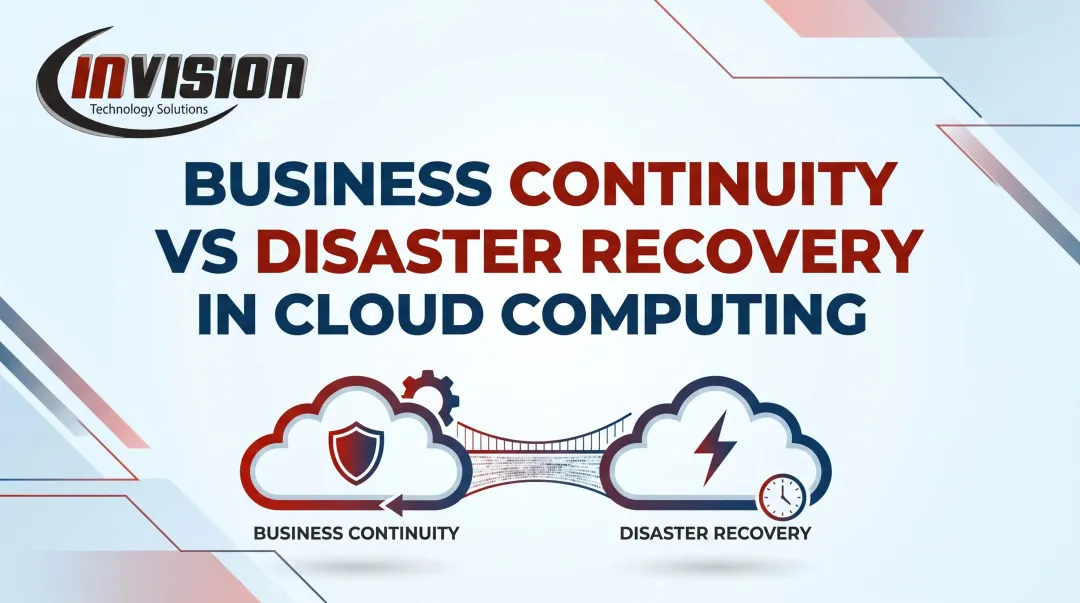
Business continuity (BC) is the proactive side of the equation. It covers the strategies, processes, and plans that keep an organization's critical functions running before, during, and immediately after a disruptive event. Crucially, BC is not just about IT — it addresses people, workflows, facilities, and communications too.
Disaster recovery (DR) is BC's technical counterpart. It's the reactive, IT-focused set of plans and procedures for restoring systems, applications, and data after a disruption. BC focuses on keeping the business operational; DR focuses on restoring what was disrupted.
What Is the Difference Between Business Continuity and Disaster Recovery?
| Business Continuity (BC) | Disaster Recovery (DR) | |
|---|---|---|
| Focus | People, processes, communication | Data, infrastructure, systems |
| Posture | Proactive | Reactive |
| Goal | Stay operational | Restore what was disrupted |
| Scope | Entire organization | IT systems and applications |

BC is the broader umbrella; DR is the IT-specific layer within it. During an actual incident, both activate simultaneously — BC keeps the business moving while DR restores the systems that support it.
What Is BCDR?
BCDR is the integrated framework combining both strategies. Neither works well in isolation:
- DR without BC: Systems come back online, but staff have no plan for communicating, serving clients, or operating in the meantime.
- BC without DR: People have workarounds, but no way to access the data and applications they actually need.
A practical example: a monsoon storm knocks out a Phoenix law firm's main office. BC activates remote work protocols so attorneys can continue serving clients from home. Simultaneously, DR restores access to the firm's case management system from a cloud backup. The firm never stops billing hours — because both halves of the strategy fired together.
Why Every Business Needs a BCDR Plan
The financial stakes are not abstract. According to the ITIC 2024 Global Server Hardware and OS Reliability Report, 93% of midsized and large enterprises report that one hour of server downtime costs $300,000 or more. Even at a fraction of that scale, a multi-hour outage at an SMB in Phoenix can mean lost revenue, missed client deadlines, and staff hours spent on manual workarounds.
The longer-term risk is worse. According to data cited by the Milken Institute, FEMA estimates that 40% of small businesses never reopen after a natural disaster, and another 25% close within one year. Those figures don't account for cyberattacks, which — based on Veeam's 2024 research — affected 75% of surveyed organizations in the prior 12 months.
The exposure goes beyond financial loss. For many Phoenix Metro businesses, BCDR carries direct legal obligations as well.
The Regulatory Dimension
Depending on your industry, a BCDR plan may be required by law:
- Healthcare and dental practices handling electronic protected health information (ePHI) must comply with HIPAA's Security Rule, which explicitly requires a Data Backup Plan, a Disaster Recovery Plan, and an Emergency Mode Operation Plan (45 CFR 164.308)
- FINRA member firms must maintain a written Business Continuity Plan under Rule 4370, covering data backup, recovery procedures, and mission-critical systems
- Financial institutions under the FTC Safeguards Rule must implement and maintain an information security program that includes incident response planning
- Legal practices don't face a single universal DR mandate, but bar association ethics rules in most states require attorneys to protect client files and maintain availability of records, making BCDR planning a professional obligation for law firms regardless of size

Meeting these obligations starts before a disaster occurs. Proactive monitoring is the first practical layer of BCDR defense — catching infrastructure problems early, often before they escalate into a full disruption. InVision Technology Solutions' InWatch system monitors servers, desktops, laptops, and network devices around the clock, giving Phoenix Metro businesses continuous visibility into the health of their IT environment.
Key Components of a BCDR Plan
Business Impact Analysis (BIA)
The BIA is the foundation. Before you can protect anything, you need to know what matters most.
A BIA identifies which business processes, systems, and roles are critical to operations, then estimates the financial and operational impact of losing each one. Per NIST SP 800-34, the BIA correlates information systems to the mission-critical processes they support — and that correlation drives every recovery priority decision that follows.
Skip the BIA, and your recovery priorities are arbitrary. Build one, and every decision that follows has a defensible rationale behind it.
Recovery Time Objective (RTO) and Recovery Point Objective (RPO)
Two metrics govern every DR decision:
- RTO — the maximum time a system can be offline before the impact becomes unacceptable. A healthcare clinic might set a 2-hour RTO for its patient scheduling system.
- RPO — the maximum amount of data loss the business can tolerate, measured in time. A law firm might set a 30-minute RPO for its case management system, meaning backups must capture data at least every 30 minutes.
The trade-off is real: shorter RTO and RPO targets require more investment in redundant infrastructure and more frequent backups. A business that can tolerate 24 hours of data loss needs a very different backup architecture than one that can only tolerate 15 minutes. Setting these targets through your BIA — rather than guessing — keeps the investment proportional to actual risk.
Asset Inventory and Data Backup
You can't protect what you haven't catalogued. An effective BCDR plan requires:
- A complete inventory of hardware, software, applications, and data sets
- Classification of each asset as critical, important, or non-essential
- Documented backup frequency and recovery procedures for each critical asset
For backup strategy, CISA recommends the 3-2-1 rule: keep 3 copies of important data, on 2 different storage media types, with 1 copy stored offsite. Cloud replication, offsite backup, and local snapshots used in combination satisfy this standard. InVision's backup and disaster recovery services — delivered through partnerships with Veeam and Barracuda Networks — implement granular snapshot and retention policies alongside full cloud replication.

Communication and Testing Protocols
A BCDR plan without clearly assigned roles is just a document. Every plan needs:
- A communication chain: who notifies whom, through what channel, in what order
- Defined roles: incident reporter, DRP supervisor, asset manager
- Alternate communication channels if primary systems are down
Regular testing separates a functional plan from a theoretical one. NIST SP 800-84 identifies tabletop exercises as cost-effective tools for validating contingency plans — and they consistently surface gaps that paper reviews miss: unclear role assignments, outdated contact lists, and untested failover procedures that don't perform as expected.
How to Build a BCDR Plan: A Step-by-Step Overview
Building a BCDR plan requires input from across the organization — IT, operations, leadership, and department heads all have a role. Each step below builds on the last, so skipping ahead tends to create gaps that only surface during an actual incident.
Assemble a BCDR team — Include an executive sponsor, IT lead, department heads, and a third-party liaison (such as your managed IT provider). Disruptions affect every department, so recovery decisions can't rest on IT alone.
Conduct the BIA and risk assessment — Identify realistic threats: ransomware, hardware failure, natural disaster, human error. Rank business processes and systems by criticality and recovery priority. The Verizon 2024 DBIR found that 68% of breaches involved a non-malicious human element — which means your risk assessment needs to account for mistakes, not just attacks.
Define RTO and RPO for each critical system — Document recovery procedures and failover steps for each scenario. Assign ownership to specific individuals, not just job titles.
Schedule testing cycles — At minimum: one full-scale drill annually, quarterly targeted tests for the highest-criticality systems. Testing should also be triggered after any major infrastructure change or business restructuring.
Build in a maintenance cadence — Schedule a plan review whenever IT systems, staffing, or business operations change significantly — waiting for an annual cycle is often too long.

How a Managed IT Partner Strengthens Your BCDR Strategy
Building a BCDR plan is one thing. Maintaining it while also running daily IT operations, managing security threats, and keeping pace with new vulnerabilities is a different challenge entirely. Most SMBs don't have the internal staff to do all of it simultaneously.
InVision Technology Solutions has been supporting Phoenix Metro businesses since 2006, working with organizations in healthcare, legal, finance, manufacturing, and dental practices — industries where downtime carries both financial and regulatory consequences. Their InWatch monitoring system provides 24/7/365 coverage across servers, desktops, laptops, and network devices, catching issues before they escalate.
That speed matters in a recovery scenario. InVision's average response time is 5 minutes, with an average resolution time of 11.9 minutes.
Every InVision client gets a dedicated team consisting of a primary and secondary systems administrator, a technical manager, and an account manager, who already know the client's environment. When a disruption happens, there's no time wasted on context-gathering. The team knows the infrastructure and can act immediately.
Their backup and disaster recovery services are built on Veeam and Barracuda platforms and include:
- Granular snapshot policies for precise, point-in-time recovery
- Full cloud replication to keep data protected offsite
- Integrated monitoring that flags backup failures before they become recovery failures
The result: faster restoration when it counts — typically minutes, not days.
Frequently Asked Questions
Does BCP include disaster recovery?
Yes. Disaster recovery is a subset of the broader business continuity plan. The BCP is the master framework covering all organizational operations during a disruption, while the DRP is the specific technical pillar focused on restoring IT systems and data.
What should come first, BCP or DRP?
BCP should come first. It establishes business priorities and identifies critical functions — which the DRP must then support technically. Without knowing which processes matter most, you can't set meaningful RTO and RPO targets for your IT systems.
What are the 4 C's of disaster recovery?
The "4 C's" isn't a standardized framework in IT disaster recovery. NIST SP 800-34 is the most recognized authority, organizing contingency planning around business impact analysis, recovery strategies, plan development, testing and training, and ongoing maintenance.
What is the difference between RTO and RPO?
RTO defines how fast systems must be back online; RPO defines how much data loss is acceptable. For example, a law firm might set a 4-hour RTO but a 30-minute RPO for its case management system — meaning it can tolerate 4 hours offline but cannot afford to lose more than 30 minutes of case data.
Do small businesses need a BCDR plan?
Yes — and small businesses are disproportionately at risk because they have fewer resources to absorb extended downtime. FEMA estimates 40% of small businesses never reopen after a natural disaster, and another 25% close within a year. A BCDR plan is among the most cost-effective protections a small business can put in place.
How often should a BCDR plan be tested?
At least one full-scale exercise annually, with quarterly targeted tests for the most critical systems. Testing should also be triggered after any major change to IT infrastructure or business operations — not just on a fixed calendar.